
How to Search Cases by Name
Tippecanoe County sends searchers to Indiana MyCase through its Tippecanoe County court-record page. MyCase runs on the Odyssey system. The county suggests starting with a last name and first initial. That wide net works in your favor. Most public records hold no dates of birth or Social Security numbers, so adding a birth date can actually bury a correct match instead of sharpening the results.
- Open Indiana MyCase and select the Name tab.
- Enter the last name, then a first initial or first name. Use the business field instead for an organization.
- Select Tippecanoe County and a likely case category if the result set is broad.
- Use open or closed status and filing dates only when those facts are known.
- Open each plausible Case Summary and verify the court, type, filing date, parties, and CCS.
The official MyCase search interface lays out the Case, Name, and Attorney tabs with their public controls.
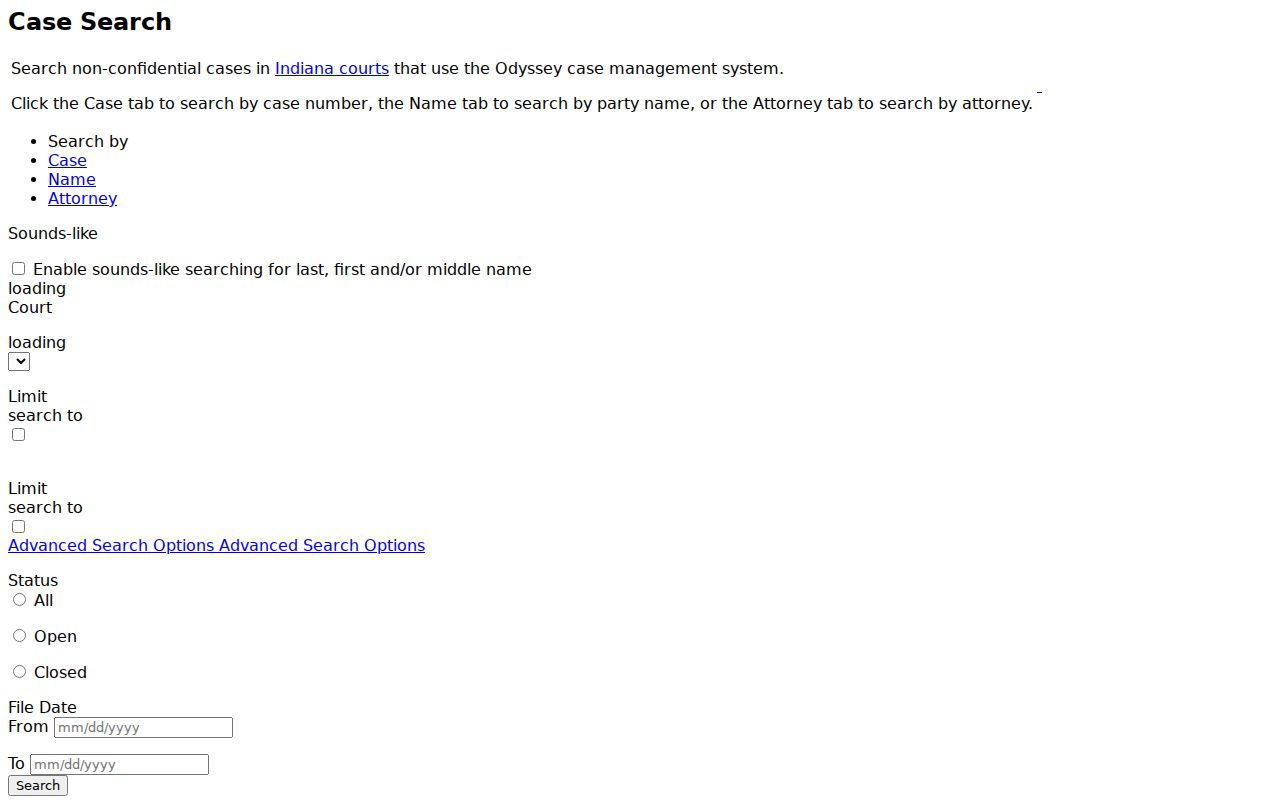
That layout shows why the tab choice matters. Citation and cause numbers go under Case, while a person's name goes under Name.
Tippecanoe County MyCase Search Tabs
MyCase offers three ways in. The Case tab takes a case number, citation number, or cross-reference number; the Name tab takes person fields or a business and organization name; and the Attorney tab takes counsel's name or attorney number. Keep the approaches separate, since the fields are mutually exclusive and mixing them gets you nowhere.
| Field | Type | Required | Tippecanoe County search note |
|---|---|---|---|
| Last | Text | Conditional | Required when First, Middle, or Birth Date is used; maximum 40 characters. |
| First and Middle | Text | No | Each requires Last. Begin with a first initial when the exact name is uncertain. |
| Business name | Text | No | Use instead of person fields; maximum 800 characters. |
| Court | Dropdown | No | Select Tippecanoe County or the separate West Lafayette City Court option. |
| Case category | Filter | No | Criminal and Citation, Civil, Family, Probate, Commercial, or Appellate. |
| Status and file dates | Advanced | No | All, Open, or Closed, with optional from and to dates. |
Public searches stop at 1,000 results. Narrow a common name with the court, category, status, or filing range. Just skip any fact that may not exist in the public index.
How to Search by Case Number
For a Tippecanoe County case lookup, nothing beats a cause number. Consider 79D06-2608-IF-000123: county 79, a Superior Court marked D, court 06, filing year and month 2608, infraction type IF, then a six-digit sequence. Indiana Administrative Rule 8 sets this uniform pattern and the court identifiers. MyCase accepts one case number at a time, up to 30 characters. The official search tips say hyphens and leading zeros may be dropped. Search a citation in the Citation Number field rather than guessing its cause-number conversion. A transferred case can pick up a changed first group. Yet a cause-number search still covers the number history. The official MyCase search tips walk through wildcards, numbers, cross-references, and transferred cases.
Those instructions earn their keep when a printed number has lost its hyphens or a transfer has swapped the court segment.
Tippecanoe County Case Name Filters
Sounds-like searching and wildcards fix different name problems. MyCase allows trailing wildcards but never a wildcard alone in the whole field. The sounds-like option works on last, first, and middle names. It cannot be paired with wildcards. Pick one method, run it, then compare the court and case details in each result.
For a missing Tippecanoe County match, remove the birth date first. Then try last name plus first initial before adding more filters.
Cast too wide and you drown in names. Cast too narrow and you get nothing at all. The 1,000-result ceiling is your cue to add a reliable court, category, date, or given name. Remember that the count measures only the public Odyssey view, since confidential and non-Odyssey matters sit outside it.
What a Case Search Shows
A result list is just an index. Open the Case Summary before trusting that a Tippecanoe County match is yours. The public detail there can include the case number, court, case type, style, filing date, status and status date, related references, parties and roles, charges, bonds, CCS entries, hearings, linked documents, sentencing, disposition, and financial information.
| Case Summary | The cause number, assigned court, type, filing date, status, and public caption. |
|---|---|
| Parties | Public names and roles such as plaintiff, defendant, petitioner, or respondent. |
| CCS | The dated register of filings, notices, orders, hearings, and procedural events. |
| Hearings | Scheduled events and available setting details, subject to later orders. |
| Documents | Links to public images when available; an absent link does not make a public filing confidential. |
| Disposition | The recorded outcome, which must be read with the linked charge, claim, and CCS entry. |
The official MyCase Case Summary template shows the neutral field layout used for public case detail.
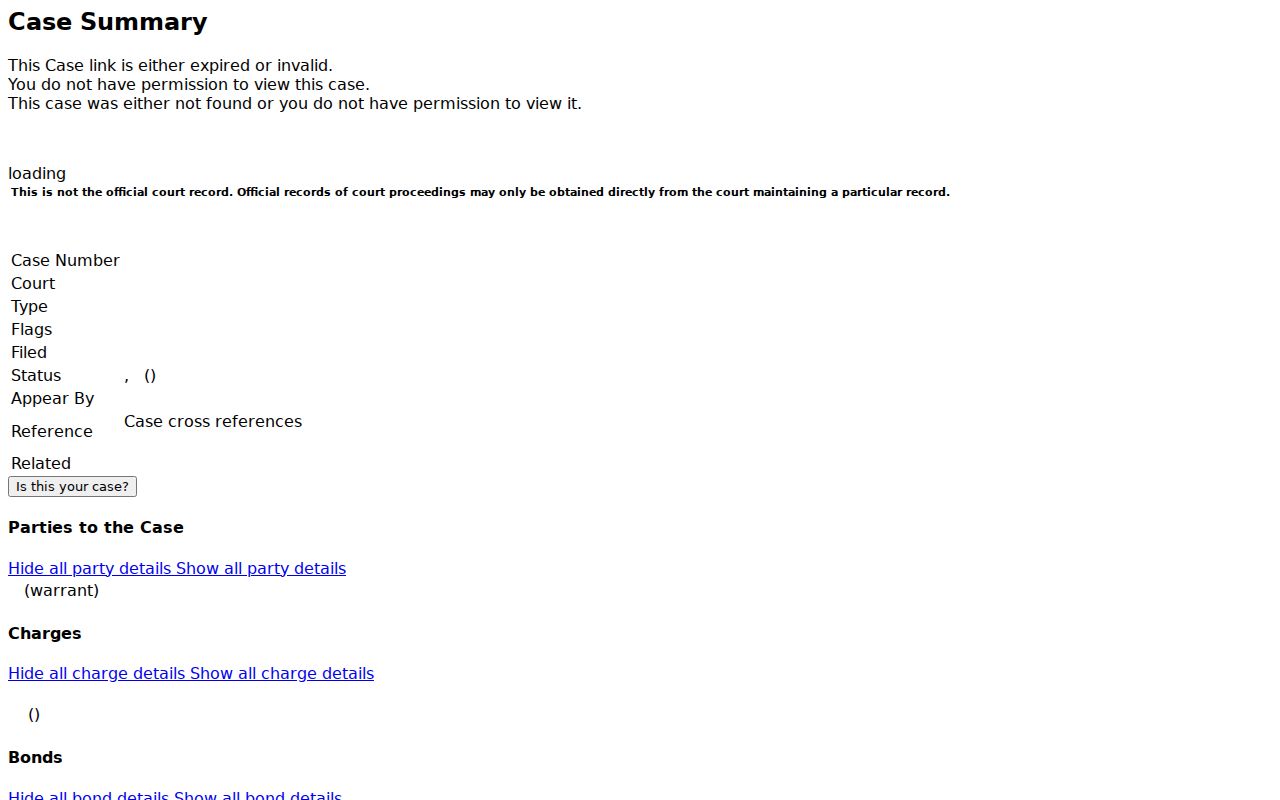
That page ties the result row to the deeper CCS review. A filing or charge is not an outcome, and a listed balance may omit later interest or charges.
Tippecanoe County Case Access Levels
Ordinary public MyCase searching is anonymous and generally free. Party access needs a free Indiana Courts account plus a case-specific access code. Attorneys log in through the Courts Portal and can reach more public documents and any matter where they are of record. None of these levels unlocks confidential material.
| Access level | What it adds | Main requirement |
|---|---|---|
| Public | Anonymous search of public, non-confidential Odyssey cases. | Ordinary browser search; captcha may appear after repeated use. |
| Party | Case-specific party access where available. | Free Indiana Courts account and access code. |
| Attorney | More public documents and cases tied to counsel of record. | Courts Portal credentials. |
The MyCase Terms of Use bar scraping, robots, aggregation, and bulk extraction. The service exists for ordinary reference searches.
County vs Statewide Case Search
Tippecanoe County runs no separate public case database of its own. Instead, the county's official court-record landing page explains the local context and sends searchers to the statewide MyCase system. Treat the two as layers of one workflow, not rival databases.
| Channel | Coverage | Best use |
|---|---|---|
| Tippecanoe County records page | Local instructions for civil, criminal, and family court records. | Confirm the county's search tips and reach the correct official service. |
| Indiana MyCase | Public, non-confidential Odyssey cases statewide. | Search Tippecanoe Circuit, Superior, and West Lafayette City Court records. |
| Clerk of the Circuit and Superior Courts | Official Tippecanoe County case files and copies. | Request a public document that is not linked or obtain a certified copy. |
A federal cause will never surface in MyCase. Those records live in PACER or the Northern District of Indiana's channels. For state cases, the county landing page, MyCase, and the Clerk form a practical local chain.
Tippecanoe County Case Documents Offline
A missing document link does not mean a filing is sealed. Plenty of older public documents were never scanned. Some records exist only on paper at the courthouse. Indiana Administrative Rule 9 draws a line between remote access and what you can view in person.
Start with the Clerk. Call the records line at 765-423-9326. Or visit 301 Main Street, second floor, to inspect or copy a public document. The Clerk also handles case document orders through an SBS request and payment workflow. When the Clerk is unsure, or the material is an administrative county record, the county public-record form can go out by email, mail, or fax. Name a specific record and cause number; do not ask staff to build you a report.
Keep one more thing in mind about MyCase. It is public information, not the official court record. So certified or court-authenticated copies must come from the Clerk. And when a screen result is not enough, the wider court record search process takes over.
Restricted Cases and Access Rules
Indiana starts from openness. Access to Court Records Rule 4 presumes public access. Rule 5 lists the exceptions: confidential cases and protected information. Mental-health proceedings, juvenile and CHINS matters, termination cases, treatment records, protected reports, and certain victim or child-witness details may be excluded or redacted. Protection-order cases stay out of ordinary public MyCase search because separate federal and state access rules govern them.
Expungement calls for equal care. A pending request can show up. But an approved expungement may strip the public result away. So a failed docket search may just reflect a sealed, expunged, juvenile, confidential, non-Odyssey, or transferred case. None of that licenses a guess about the underlying facts.
A no-result screen is not proof that no Tippecanoe County case exists. Confirm the search fields, court level, and lawful access route with the record custodian.
Tippecanoe County Case Calendar Checks
You can check a MyCase hearing entry against Indiana Court Calendar. Only participating courts appear there, though. Superior Court 4 posts its own separate daily PDF. The state calendar's dynamic Tippecanoe list has shown Circuit Court and Superior Court 5. That is not every local court. For a narrower hearing search, the official Court Calendar interface source displays the county, court, date, and search-text controls.
Use this calendar view for a quick date check. When settings conflict, the newest CCS order and direct confirmation from the court still carry more weight.